Naomi Wilkins
  • Home
  • Services
    • QBO GST/HST Module Fix
    • QBO File Health & Reliability Review
    • Nifty Nomi Zoom Call
  • Courses
  • Resources
    • Fabulous First Fridays!
    • Checklists
    • Links
    • Quizzes
    • Templates
    • Service Providers
    • Start a Business
  • Grand Gate Gardens
    • For Firms
    • GGG Cohort 2026
    • The GGG Simulation
    • The GGG Case Study
  • Book
  • Newsletter
  • Home
  • Services
    • QBO GST/HST Module Fix
    • QBO File Health & Reliability Review
    • Nifty Nomi Zoom Call
  • Courses
  • Resources
    • Fabulous First Fridays!
    • Checklists
    • Links
    • Quizzes
    • Templates
    • Service Providers
    • Start a Business
  • Grand Gate Gardens
    • For Firms
    • GGG Cohort 2026
    • The GGG Simulation
    • The GGG Case Study
  • Book
  • Newsletter
Search

Be That Business Newsletter #16:  Three Hacks on How to Catch Up your Business's Bookkeeping

1/31/2025

0 Comments

 
Picture
Do you know what your profit was last month?  Where are you at on your business bookkeeping? Are you doing it yourself, or are you outsourcing it? In either situation, being behind is not a good feeling.
Not only is it not a good feeling, but it is also costly! Not knowing how your business is performing, or knowing where your liabilities are at, is not only stressful, but effects your business decisions, cash flow, loan and grant applications, and can cause late filing penalties! But you look at the growing pile at the end of the day, and with the depleted energy of a busy entrepreneur, you reason "it's not on fire...", so you put it off.
Great news! This Newsletter's Hacks are all about how to tackle the pile and get motivated to git'r done!
​
  1. One Month At A Time - If you do have a large pile looming, don't see it as one giant overwhelming monster. Break it up into smaller pieces. When I tackle a large 'arrears' bookkeeping job, the first thing I do is separate it into month. (Call back to last month's hack; as the paperwork comes in, file it in To-Be-Processed folders by month. Do that as it comes in, and then this sorting step is magically done! If you are outsourcing the bookkeeping, know that you will be paying someone else to do this if you don't use that magic hack). Once separated by month, instead of seeing a large pile, now you have 12 smaller, easier to tackle piles. Now your focus is to get January done. The major bonus of focusing on just the first month, is that you may find answers to repeating monthly items that will save you time later. As you get each month completed, it will feel like running down hill. You will get into a rhythm, and that rhythm will be easier to pick up again as you come back to it each week. As you complete each month, reconcile the bank and credit card, and solve the missing items. Then move on to the next month.
    ​
  2. Time Yourself and Schedule the Work - Time yourself and see how long it takes to do one month. Now you can make a catchup plan! If it takes you 1 hour to put in and reconcile January, and you have 12 months to complete, schedule one hour every M,T,W,T for the next 3 weeks! The end is now in sight! Or carve out two hours every Saturday for the next 6 weeks, you'll be caught up in less than two months. Knowing how long it takes will enable you to put together a plan to git'r done. If you are outsourcing the bookkeeping, still schedule time each week to work on what needs to be done to have your service provider git'r done. Check in. Answer the questions. Take control. The squeaky wheel gets the grease. Also, a bookkeeper with all the info they need is more efficient and will cost less in the end.
    ​
  3. Catch Up and Never Give Up - Keep up the schedule for completing the current bookkeeping. Just like laundry, the pile will be ever-present. Even if you outsource your bookkeeping, you are in control of the paperwork, and in control of how often you work with your provider to get it done. If you start a routine now, instead of spending hours chasing missing paperwork and catching up on bookkeeping, you can set up the processes for it to be more efficient, less intimidating, and also have your business's financial data at your fingertips to help with business planning, business decisions, on time tax filing, cash flow, loan applications, grant applications, and the all-round success of your business. This isn't a task to be procrastinated, it's your key to success, it is HOW a business is run. If you fall behind, accept that it happened, catch up, and try implementing *different* processes and habits to keep current on the bookkeeping easier. Don't give up and say 'well, it's not my thing'. You are an Entrepreneur. It IS your thing. It's how a business is run. So catch up, try again, and never give up on finding the right solution for you to succeed. You are an Entrepreneur... you were born to solve problems! YOU GOT THIS! Catch up and never Give up!
​
What are your personal tips and tricks for creating efficient processes? I'd love to share them in an upcoming newsletter, and give a shout out to your business!
​Be Intentional Today!
Get out there, and Be That Business That Thrives!

0 Comments

Be That Business Newsletter Jan 30 2025: Upcoming Due Dates for Canadian Businesses in Feb 2025!

1/30/2025

0 Comments

 
Picture
Welcome to January 30th 2025! In this Newsletter:
​
  • What’s due at the end of January?
  • My Three Favorite Resources for January!
  • What due dates are coming up in February?
  • New Video Announcement - Canadian Payroll Basics - TD1s & T4s

What’s Due at the End of January?

Here are some end of January due dates that may apply to your business;

  • If you file your GST/HST on a quarterly basis, and your year ends on Dec 31st, then your ​October to December 2024 GST/HST quarter​ is due to be filed and paid at the end of January. Even if you don’t have all the funds, file on time to not waste money on late filing penalties. (#Don’tGiveCRAmoreMoneyThanYouHaveTo!!!)
  • If you file your GST/HST annually, but last year your GST/HST payable was greater than $3,000, then you are required to pay quarterly instalments, and the last of these ​GST/HST instalments​ is due to be paid January 31st.
  • If you file your GST/HST monthly, then your ​December 2024 GST/HST​ is due on January 31st.
  • If you have employees, then you likely are registered for provincial Workplace Insurance (WSIB/WCB). The filing and remitting of WSIB/WCB is different from province to province. Some provinces are due monthly on the 15th. In Ontario it is on a quarterly schedule, and the premium for the earnings paid to employees October to December are due to be filed and remitted on or before January 31st. (Self-employed in the construction industry? You may need to pay it on your labour even if you have no employees!)
  • Is your business subject to any other quarterly remittances that are industry specific, such as Municipal Accommodations Tax? These may be due for the Oct to Dec Quarter.
  • If you business is incorporated, and owed greater than $3k in corporate Income Tax for the previous fiscal year, then it is required to pay instalments for next year on the last day of every month. January 31st is the due date for the ​January Corporate Tax Instalment​.
  • Though there are no other standard items due at the end of this month, be aware that if your Corporate Fiscal Year End is July, your Corporate Tax Return is due 6 months after your Fiscal Year end (January 31st). If your Corporate Year End is November, the Income Tax Payable is payable 2 or 3 months after the Fiscal Year End; either due end of January or end of February, depending on your corporation. Check in with your accountant to find out more about your corporate tax due dates specific to your corporation.
Picture
Any excuse for a glass of wine!

My Three Favorite Resources & Hacks for January

​Here are three Fabulous Resources and Business Hacks that I've come across this past January!
  1. Resource: Ontario Ministry of Labour Free Webinar Feb 5th 2025: The Ontario Ministry of Labour offers wonderful live free webinars that has open Q&A sessions! These webinars are a wonderful resource for both Employers AND Employees! This coming month, their webinar topic is "​Public Holidays Overview​" (scroll down to the bottom to see the list of upcoming information sessions and to register). This is for the Ontario Employment Standards Act, but, if you're not in Ontario, now is a great time to check out your provincial or territorial labour board website to see what resources they offer to assist employers and employees understand their responsibilities and rights.

  2. Resource: The Best Free Personal and Investing Courses in Canada from MoneySense: Financial literacy is an essential life skill. Whether you want to budget, saving, invest or plan for retirement, understanding how to manage money can help you achieve financial stability. Fortunately, there are many free courses that can help Canadians develop greater financial literacy. MoneySense put out a list of the ​best free finance and investing courses available in Canada​.

  3. Hack: Update your 'Reply All' settings: In ​last month's newsletter​ I highlighted how delaying your email send by one or two minutes can save mountains of headache and regret. This month, listening to one of my favorite podcasters ​Gretchen Rubin​, I heard her tip to also update your "Reply All" settings. There are times that "Reply All" is NOT what you intended to hit, so making sure the default Reply is not "Reply All" can help reduce another type of headache and regret! Here's an example of how to ​change those defaults in Office 365​.

What Resources have you found that have helped you start, run, or grow your business? Feature it (and a callout to your business!) in our next Resources Newsletter!

What due dates are coming up in February?

Now’s the time to prep your February Calendar! #BeThatBusiness that is organized! Here are some February due dates that might affect your business:
  • If you have employees, February 15th is the due date for your payroll source deductions relating to January's payroll. (in 2025, Feb 15th falls on a Saturday, so ​Feb 17th is the Due Date in 2025​)
  • If you have employees, then you likely are registered for provincial Workplace Insurance (WSIB/WCB). WCB in some provinces is due monthly, and on the 15th.
  • If you are in a province that has PST, make a note of what your PST due date is, it may be monthly.
  • T4s are due to be filed for your employees on or before February 28th. If you used a payroll provider, make sure they will be filing your ​Employee’s T4s​ for you. If you use payroll software, there may be some extra steps for you to do. In Quickbooks, it’s a ​simple .xml file to upload​! Then you can print the Employee’s copy right from Quickbooks! If you did your payroll for your employees manually, and are curious how to file them online using CRA’s webforms, here’s ​a handy dandy video​ I made a few years ago on how to do that. When you use CRA’s webforms to manually file, you can print a copy from there to hand out to your employees. ​
  • T4As are also due on or before Feb 28th. ​T4As​ are the income slips that you issue to independent workers who are not an employee, such as contractors who received a commission. ​
  • T5s are also due on or before Feb 28th. ​T5s​ report various types of investment income. They also can declare dividend income (and shareholder draws) for shareholders of a corporation, and are done by your accountant. Your accountant will need to see your financials to see what needs to be issued, so now is the time to finalize your 2023 bookkeeping and share with your accountant so they can prepare and file your T5s on time. ​
  • If you are a charity, then Feb 28th is also when your ​donation receipts​ are due to be issued. A reminder for the 2024/2025 donation years; ​CRA has announced the charitable donation deadline for the 2024 year has been extended to Feb 28th 2025.​ ​
  • March 3rd 2025 is the ​Deadline for Contributing to an RRSP for the 2024 Tax Year​. (Not February due date, but very soon after February ends!) ​
  • If you business is incorporated, and owed greater than $3k in corporate Income Tax for the previous fiscal year, then it is required to pay instalments for next year on the last day of every month. February 28th is the due date for the ​February Corporate Tax Instalment​. ​
  • If your Corporation is federally incorporated, you must file with Corporations Canada every year. Though they call it an "annual return" this is not the Corporate Tax Return (T2) that you must file with CRA every year. The filing deadline is 60 days following a corporation's anniversary date. Find out more ​here​. ​
  • Though there are no other standard items due at the end of this month, be aware that if your Sales Tax filing is monthly, January's GST/HST filing and remittance is due on February 29th. If your Sales Tax quarterly filing is on a different schedule because of a corporate fiscal year end date that is not standard, the GST/HST for a quarter November to January would be due Feb 28th. Also, if your Corporate Fiscal Year End is August, your Corporate Tax Return is due 6 months after your Fiscal Year end (February). If your Corporate Year End is December, the Income Tax Payable is payable 2 or 3 months after the Fiscal Year End; either due February or March, depending on your corporation. Check in with your accountant to find out more about your corporate tax due dates specific to your corporation.​
Announcements & Updates​
Picture
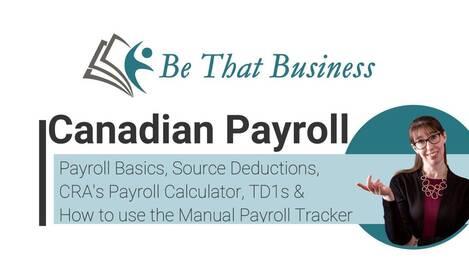
Canadian Payroll Basics - This month I published a ​video​ that gives an overview about the basics of Canadian Payroll and payroll source deductions, explains how CRA's Payroll Deductions Online Calculator and the TD1 forms work, and walks us through the Manual Employee Payroll Tracker spreadsheet. What I found interesting is how, when I was explaining CRA's Payroll Deductions Online Calculator, I felt the need to deep dive into how the TD1s work. And that created a great resource for explaining to employees why it is so important to fill out the TD1s if they have multiple employers, and how to do it! This video cracks the hood on payroll calculators (including how other apps do it) and demystifies how those payroll calculators calculate the taxes to be deducted!

Be Intentional Today!
Get out there, and Be That Business That Thrives!

Naomi Wilkins

Disclaimer: This Newsletter is intended to inform readers in general terms. It is not intended to provide any tax or business advice. Please consult your accountant if you have any questions about your unique situation. While we have tried to ensure the accuracy of the information in this article, we accept no liability for errors or omissions.
0 Comments

Be That Business Newsletter #15: Three Great Digital Tools for Businesses!

1/29/2025

0 Comments

 
Picture
This month's resources are some tools that I use with my business that you may find useful to! I am not affiliated with any of them, but I have found them handier than I expected!
  1. Linkin.bio via Later.com: If you use Instagram you may have come across the phrase "Link in Bio!". This is because Instagram only allows one clickable html link in your Instagram profile. And even though you can type out an html address in your posts, it is not a convenient 'clickable' link. Initially, you would only have your website address in the bio. But there are now services out there that allow that link in your Instagram bio to go to a webpage that then has specific links to specific Instagram posts! (My linkin.bio page is here!) There are a lot of apps to choose from. I chose the one that is part of the Later.com Instagram marketing & scheduling platform. With Later.com you can schedule Instagram posts into the future. I currently don't use it for that though! I use it for the linkin.bio feature! And though you can pay for a premium subscription, the free subscription works well for me for now! I'm so glad I found a FREE "Link In Bio" app! It took a bit of digging, so I'm glad to share what I found!
    ​
  2. Canva.com: Have you tried Canva.com yet? I use it to design a lot of my content, including my Instagram posts! So convenient! And the "Background remover" is so useful, and works better than the "Magic Wand" in my Paint.NET program! (side note; Paint.NET is a pretty good free image and photo editing software.). Canva has many templates and images to help design posts, presentations, and more. And it has both a free and paid version!
    ​
  3. ConvertKit.com: I use ConvertKit to manage my newsletter subscriber list and distribution (I'm working in it this very moment to create this newsletter for you!). I love that I can create and design unlimited landing pages that allows people to download free content when you signing up for my newsletter! If you are thinking of starting up a newsletter, check out ConvertKit! It has free and paid subscriptions also!
​
What Resources have you found that have helped you start, run, or grow your business? Feature it (and a callout to your business!) in our next Resources Newsletter!

Be Intentional Today!
Get out there, and Be That Business That Thrives!

Naomi Wilkins

0 Comments

Be That Business Newsletter #14: Three Business Hacks for your Business Paperwork;

1/28/2025

0 Comments

 
Picture
PAPERWORK! It doesn't have to be an ominous word! Getting your filing system up and running is your best time-saving hack! But it can be overwhelming sometimes. This month's hacks are all about managing your paperwork flow!  This blog post is all about managing and keeping physical paperwork, and was first published in August 2021.  Stay tuned for an updated hacks blog post that is all about Paperwork Management Software.  Spoiler alert, my current favorite is Dext.
​
But if you're still in physical paperwork land... here are three great hacks for you!
​
  1. Put it in it's home as soon as it comes in - To avoid the dreaded pile of paperwork that buries what needs to be done and adds clutter to your life and mind, follow the 'touch it once' rule. When you open your mail, file it right away. Have a stapler and staple multi page mail right away! Setting up your system ahead of time so it all has a home is a huge time saver, and saves brain bandwidth! See Hack #2 & #3 for *where* to file those things!
    ​
  2. File Folder Homes - For your business paperwork, I suggest 6 folder types;
    ​
    1. To Be Processed - This folder is for bills and receipts that need to be entered into the bookkeeping. It also is where to file the bank statements before the bank is reconciled. Every week on your #WeeklyWinDay you must go through this folder and enter the paperwork into the bookkeeping. If you get in paperwork that does not need processing, DO NOT FILE IT IN THIS FOLDER. File it directly in it's monthly folder, or in the Year End folder.
      *VERY IMPORTANT*: If you do not enter the "To Be Processed" folder weekly, then you should have a "To Be Processed" file for every month. This way, if you get behind, or if you give your paperwork to an outsourced bookkeeper IT IS ALREADY SORTED BY MONTH! I cannot stress enough how important this is. 7/8/21 can be both July 8th or Aug 7th. It is a waste of time to sort by date, especially with guessing on cryptic dates. This will not need to be done if you file it in the correct month as the paperwork comes in. Do not make double work! Keep it easy! Don't pay someone to do something that could have been done magically without any actual work simply by employing this super hack!
      ​
    2. To Be Paid - Once a bill has been entered into the bookkeeping on your #WeeklyWinDay from your "To Be Processed" folder, if it is a bill that needs paying, then you can move it to your "To Be Paid" folder. On the 15th of every month (or your #WeeklyWinDay that comes before the 15th), open this "To Be Paid" folder and pay all of the bills for the month prior.
      ​
    3. 12 Monthly Folders - One for each month, with the year. "Jan 2021" "Feb 2021" etc. Once processed, your paperwork can now be filed by month. That is, once the receipts are entered, file them in their month. Once the bill is paid, file it in it's month. Once the Bank Statement is reconciled, file it in it's month. If you get in any paperwork that does not need entering, you can just file it directly into it's month.
      ​
    4. Year End Folder - For example "Year End 2021". This folder is for A) All those items you want to have handy and ready for your Year End Tax prep (I put in copies of asset purchases for example), and B) all of those items that are not related to a specific month, such as Insurance Renewal, Property Taxes, Annual Mortgage Statements etc. It will also be where your final tax return goes for the year once completed. If you have employees, it is where your T4s will go once filed.
      ​
    5. Employee Files - A file per employee, if you have employees.
      ​
    6. Permanent - For your business license and a handful of other items that you do not wish to file away each year.
      ​
  3. File Folders, hanging folders, and plastic file boxes - The easiest and most convenient way to file paperwork is in file folders, in hanging folders, in plastic file boxes. File Folders should have a clear title written on them. (If you want printable labels for the suggested folders above, you can download them here!). File Folders in Hanging Folders are exponentially easier to use and access. Those accordion style filing contraptions may be 'pretty', but they are also pretty annoying, hard to store, difficult to file in and out of, and the receipts fall between the gaps at the bottom. Also, the cardboard file boxes that many people use do not accommodate hanging folders, damage easily, and are scary to stack. The best advice is to store in plastic file boxes. These are water resistant and sturdy. My favorite boxes I purchase at Staples. Another great box, for smaller businesses or traveling paperwork, is this box. In the current year, all my files are in hanging folders, but for filing past years, I take the file folders out of the hanging folders and archive them without the heavy hanging folders, and I am able to fit more into the boxes. For archiving, hanging folders take up space and add unneeded weight. But for the current year, hanging folders make life much easier. Also, don't file "legal" direction. It wastes so much space! 95% of your files are letter sized, so file "letter" direction to save so much space!!!
​
What are your personal tips and tricks for creating efficient processes? I'd love to share them in an upcoming newsletter, and give a shout out to your business!

Be Intentional Today!
Get out there, and Be That Business That Thrives!

​
0 Comments

Canadian Payroll Basics! New Video Announcement!

1/27/2025

0 Comments

 
Canadian Payroll Basics! My new video demystifies how those payroll calculators calculate the taxes to be deducted! This video gives an overview about the basics of Canadian Payroll and payroll source deductions, explains how CRA's Payroll Deductions Online Calculator and the TD1 forms work, and walks us through the Manual Employee Payroll Tracker spreadsheet. There's even a great bookmark in the video description that can be sent to employees who have more than one employer!

Happy T4 Season!
0 Comments

Be That Business Newsletter #13: Three hacks on automating in your business

1/26/2025

0 Comments

 
Picture
During the course of my work, I have found that over-automation can cause havoc. That is because over-automation assumes that life is neat and tidy and always fits into a pre-prescribed box.
I have seen CRA audits and reviews deny legitimate claims because the paperwork does not match what was entered on the bookkeeping, and these audits take increased work, effort, and time to fight and support.
I have seen business decisions made based on data that assumed expenses were business that were actually personal.
I have seen analysis done on monthly reports in which the dates of the expenses are incorrectly allocated.
I have seen legitimate business expenses and GST/HST Credits missed and not claimed.
Life is not neat and tidy, and doesn't fit into boxes! Does that mean that automations are useless and to stay away? Not at all! Automations are a huge time saver when used with intent! But the key is, they need to be used with intent!
In fact, you can exponentially increase the time saved and reduce work required when you couple automations with Real Life Processes! This month's hacks center in on exactly this! A hack on how to get more done by doing less work?! Yes please!
These hacks are based on the use of the "Bank Feed". The bank feed is the information from your bank account and credit card flowing into your bookkeeping software each month, sitting on a holding platform, waiting to be 'classified' (entered as a transaction into the bookkeeping, or matched to a transaction already entered). Did you know you can automate some of this classifying to be hands free?!
Even if you don't have a bank feed, these hacks are still extremely useful, as many people work off of the bank statements to make sure all the expenses are entered/recorded.
Also, even if you do not do your own bookkeeping, you are paying someone else to do your bookkeeping. These hacks will help keep your bookkeeping costs low and more accurate!
​
3 Business Hacks for July:​
​
  1. Automate Bill Payments and Entries - You can and SHOULD enter and claim 100% of your business expenses, even if they are not yet paid. For example, if you had a cell phone bill in October, November, and December, but did not pay them until January... don't miss claiming the expenses in their proper month! In this scenario, if all the expense is recorded in the following January when the three bills are paid, then the monthly taxable profit for October, November and December will show higher than actual. Also, the January report will show a profit much too low, and your business will look like it is not performing as well. The way to correct this is to put in the bills monthly. But this is only part of the hack; you still will need to reconcile the bank. To reconcile the bank when there are partial payments on these bills ($200 here, $300 there), is time consuming! Look at all this work! You cannot use your bank feed to put those in correctly; you have to manually enter a partial payment. The automation only comes in by classifying the amount being fed in from the bank activity. If you were to automate the entry of these partial payments of $200 and $300 here and there, for example using your bank feed to automate every online bill payment to Koodo as "Cell Phone Expense" and back out GST/HST, not only could the expense and the GST/HST not match the bills and be more work to support to CRA in an audit, you will also not have accurate reports as described above! So no automation? OR... Work WITH the automation! Set your Cell Phone bills to be paid automatically, in full, a few days after the bill is sent out (you can usually set this up via your provider). NOW you can set your bank feed to automate every payment to that company as "Cell Phone Expense, back out GST/HST", and the full expense will be recorded in the correct month!
    The beauty of this hack is that you no longer have to waste time even PAYING the bill! You no longer have to waste time ENTERING the bill! You no longer have to waste time ENTERING the bill payments! The reports will have the expense and GST/HST Credits at the correct amount, in the correct month! And a CRA Audit and Review will pass easier and with less work. By doing LESS WORK you have MORE DONE! (I think this hack actually eliminates ALL the work involved!!!) I have heard warnings; "Don't automate bill payments, as then you don't look at the bills". But, you should still look at your bills. Automating payment doesn't prevent a quick look! But you take a quick look, then file it away! Done and Done! Work Smarter! Not Harder!
    ​
  2. Loadable cards don't actually save time - I have seen business owners buy pre-paid loadable cards/gift cards to purchase Starbucks or Tim Horton's and the like. But, if you take a look at that receipt, there is no GST/HST! Plus, it does not list what was purchased, because nothing was actually purchased! So, if reviewed in an audit, CRA would disallow this as an expense and no GST/HST credits would be allowed. Only the actual purchase receipts are considered support, no matter how they were paid. And can you link up a bank feed to your gift card balance? No. Now there's even more entry of the individual purchases paid by the gift card, or missed/risked expense claims as people assume the gift card purchase would pass a CRA review. Loadable Gift Cards are the opposite of time savers.
    ​
  3. Don't Use Cash + Be Predictable - If you are aware that every bank purchase and credit card purchase is going to be fed into your bookkeeping software ready to be classified, be predictable! Only buy gas at the gas station, for example. Don't purchase personal items with your business credit card. If you follow rules in real life, you can create rules on your bank feed to mirror them. Every time you introduce something different or unpredictable, you have to find and correct that item on your bank feed, and this takes time. And every time you purchase something with cash, you have hope you don't lose the receipt, and then you have to manually enter that transaction! This takes time AND introduces the risk of missing the expense claim! Life happens, and the bookkeeping can reflect what happens in life. But the more you set up processes to reduce the unpredictability of life, the less time and money you are going to spend on your bookkeeping :)
​
What are your personal tips and tricks for creating efficient processes? I'd love to share them in an upcoming newsletter, and give a shout out to your business!
Be Intentional Today!
Get out there, and Be That Business That Thrives!


​
0 Comments

Be That Business Newsletter #12: Mental Health Resources for Entrepreneurs and their Employees

1/24/2025

0 Comments

 
Picture
The stigma around mental health is starting to erode, and we are beginning to see the spectrum of mental health issues and needs that effect us and our communities.

Entrepreneurs are not immune, and the stress of launching a new business can be a heavy weight.

As the stigma around mental health diminishes, the resources are growing! My three favorite resources for June are all relating to the well being of entrepreneurs and their employees!
​
  1. Headspace: Research shows that after practicing mindfulness, the grey matter in your brain’s amygdala – a region known for its role in stress – can become smaller. Headspace is a paid meditation app that is offering a collection of guided meditations available for employers and their employees.​
    ​
  2. Canadian Centre for Occupational Health and Safety - The National organization for Occupational Health and Safety offers many free tools and resources to help support your mental health efforts in the workplace!
    ​
  3. RISE - Mental health significantly impacts Canadians’ financial and social well-being. In any given year, one in five Canadians will experience a mental health or addiction challenge. Amongst the population of people with disabilities, those with a mental illness face the highest degree of stigmatization in the workplace and the greatest barriers to employment. Through training, mentorship, micro-financing and other customs supports, Rise helps individuals build the skills and access the capital they need to launch a small business that can improve quality of life and enable them to support themselves, their families and communities.
Looking for more entrepreneurial wellness resources? Find many more here on BDC.ca!
​
What Resources have you found that have helped you start, run, or grow your business? Feature it (and a callout to your business!) in our next Resources Newsletter!

​
Be Intentional Today!
Get out there, and Be That Business That Thrives!


0 Comments

Be That Business Newsletter #11: Three Business Hacks around email and task management

1/23/2025

0 Comments

 
Picture
This month, I bought a new phone. I use the Outlook app to manage all of my email addresses, and for some reason, the Outlook app on this new phone doesn't receive emails and alert me as often as my old phone. I can check emails, but, I only get an alert that an email has come in when I'm at my desk working on my computer.
This has translated to less interruptions when I'm away from my desk and 'not at work'. I've always worked from my home office even before the pandemic, so I've had trouble separating my work day from my not at work time. To have my new phone limit my email notifications has actually been a refreshing reminder that, when I'm not at work... I need to be NOT AT WORK!

Being able to step away from my 'work brain' involves being able to know that important emails and tasks can be earmarked for when I return. Part of my daily process is to do a 'brain dump' at 5:15... that is, I review my tasks and to-dos that I was not able to get to that day, and write those that are top priority for me to start with the next day in my productivity planner.
​
But how do I keep tabs on all of my important emails and to-dos? This month's hacks are some of my favorite hacks on email and task management!
​
3 Business Hacks:
  1. Convert Emails to Tasks – I used to flag an email as important, but not clear out my inbox, and this had some disastrous effects. To change this, I began by archiving emails I had dealt with, and only left those that needed action in my inbox. This was better, but if I was waiting to hear back to complete the task, it sat in the inbox and could still get pushed down out of sight. And then I discovered tasks! I use Outlook, and I can simply drag an email into the "create task" button, and set a due date, priority etc, and voila! I have a task list, and I can clear out my inbox! My favorite part of Outlook tasks is that I can create my own categories! I create a category for each client, and when I begin work on one of my clients files, I can look at all the 'tasks' assigned to that client, all in one place! And I assign more than one category to each task. I have a category called "Clients" that a client task also gets tagged with. This way, not only can I sort by individual client, each day I can also look at all the 'client' tasks that need to be completed! I have a "Have I heard back" category to make sure that all the 'dominos' have fallen and a task does not get forgotten! I use different task views, such as all of them, or just what's due today, or what's due tomorrow, or this coming 7 days. I discovered Outlook tasks by stumbling upon this video by Randy Dean. If you don't use Outlook you can do something similar in Gmail! The categories option does not exist, but with Google Tasks, you can still convert an email to task, set a due date, create sub-tasks, and also click 'show tasks' on your calendar! Here's a video that digs into Google Tasks more. Probably most email management apps have some sort of task/to-do component for you to dig into and utilize!
    ​
  2. CHROME PROFILES!!! – Sorry to yell, but I have just this week discovered the convenience of Chrome Profiles! I stumbled across this hack as I was in an online group where someone asked about having two different companies open at the same time in QBO (Quickbooks Online). My answer was; this can only be done if you have a second browser open, (one in Chrome and another in Firefox for example). But I was WRONG! (Egad!) Another bookkeeper chimed in to correct me. "Actually, you can have as many companies open as you have Chrome Profiles. I have about 8!" I dug in further, and Chrome Profiles are even more handy than that! I have a personal Gmail and Google Drive, as well as a business Gmail/Drive. I've created a Personal Chrome Profile, and a business one, and I can have both Gmails open, both Drives open, and not have to log in and out! Each profile is colour coded, and I have all my work bookmarks in my bookmark bar on my work profile, and all my personal bookmarks in my personal profile! And you are not limited to associating a Chrome profile with a Gmail account! If you use Yahoo or Microsoft, you can still take advantage of this multiple Chrome profile set up! For me, this is a game changer! I love when I find out I'm wrong about something!
    ​
  3. ClickUp – I have begun organizing my ideas, my "look into's", my project plans, etc in an app called "ClickUp." I have the free version, and it's very robust. I have a few different 'spaces', such as one for work, and one for personal. It is a task management app that can be used to collaborate with teams and implement very complex project management and flows. I haven't mastered all of the bells and whistles, but I do enjoy using it to organize all of my project ideas and plans, including references and hacks to earmark for upcoming newsletters!
​
What are your personal tips and tricks for managing your to-dos and emails? I'd love to share them in an upcoming newsletter, and give a shout out to your business!​​
​
One more thought...
Work With The Situation: I enjoyed a conversation with my dad today, and he was telling me about taking advantage of a stormy situation. When he got up this morning, he saw that the weather forecast called for a morning of heavy rain. He had planned on mowing the lawn that morning, but because of the rainy forecast, he decided to take advantage of the situation. He filled up his bucket with soapy water and gave my mom's car a cleaning. He said, "It was very efficient... I didn't have to get out the hose to rinse the car off! The rain took care of it!" He is in Texas, and it was a very warm rainstorm! I just loved this story as a metaphor for tackling life's storms! Sometimes setbacks can actually be an opportunity, and efficiency can be found in some unexpected places! And my new phrase is now "If life gives you lemons... go wash your car!"

Be Intentional Today!
Get out there, and Be That Business That Thrives!
0 Comments

Be That Business Newsletter #10: Three Business Resources for e-Commerce

1/22/2025

2 Comments

 
Picture
eCommerce is a huge sector, and it's growing! There are so many resources available for Entrepreneurs to start a side hustle or a main gig! Or both! From Shopify to Etsy to Amazon, Paypal, Stripe, and Square, the apps and tools out there are numerous!
But what about the bookkeeping for all these things? What about the sales taxes? (In Canada, we follow the "Place of Supply Rule", that is, where the goods take ownership, that's the sales tax rate that is charged, if a seller is registered for the sales tax. More to come on this hot topic in the future!)
It's not just the sales tax, but the payment processing fees deducted from the received funds. Even inputting a couple of these entries into the bookkeeping is an onerous task, let alone many multiple transactions a day! What's the secret? App integration! (A2X seems to be a favorite integration tool during my research!)
Between understanding the sales tax and setting them up correctly, and integrating the apps into your bookkeeping software correctly, there's a lot of heavy prep work. But once set up correctly, it's smooth sailing. If not set up correctly, it's gonna be rough seas. And if it's not set up right at the beginning, you can lose the integration edge (integration feeds generally only go back and fetch 1 to 3 months of data. If you wait, you'll be doing a lot of manual entry and hair pulling! If not you, then you'll be paying someone else to!)
If eCommerce is part of your plans, here are some great resources to set you up for success!:
  1. eCommerce Tax Guide for Canadian Sellers - I found this excellent blog post that covers a huge amount of information for both income and sales tax for Canadian eCommerce Sellers. The author, Boris Baranov, also offers specialized bookkeeping and income tax preparation for Canadian eCommerce Entrepreneurs.
    ​
  2. GST/HST rules for digital sales - With the new rules that came out for GST on digital goods back in 2021, small businesses may not be aware how it effects their expenses and claiming GST/HST ITCs.  If the supplier is a non resident, and is under the simplified regime, businesses can no longer claim the GST/HST as an ITC, but instead, need to go to the supplier, and update the account to show their business number as to not be charged GST/HST at the source!  Check out my YouTube video that explains this in more detail!
    ​
  3. eCommerce Integration Services - There are a lot of people out there ready to help you set up your beautiful Shopify or Squarespace store, but they often miss the crucial step of integrating your eCommerce Store and Payment Platforms with your bookkeeping. For that you need a someone who knows accounting AND tech. A great example is the team at Financly.ca who specialize in eCommerce Accounting. They offer the specific service of setting up your integrations correctly, as well as offering support on sales tax and other accounting related services.
    ​
What Resources have you found that have helped you start, run, or grow your business? Feature it (and a callout to your business!) in our next Resources Newsletter!

Be Intentional Today!
Get out there, and Be That Business That Thrives!

2 Comments

Be That Business Newsletter #9: Three Business Hacks; Checklists for the win!

1/21/2025

0 Comments

 
Picture
I often talk about Brain Bandwidth, and how we all only have so much Brain Bandwidth available each day.
Each item you try to remember, each decision you need to stop and make, they take up some of your Brain Bandwidth that could better be used somewhere else in your business.

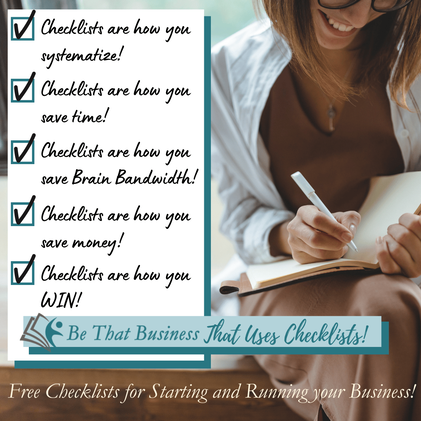
Using your Brain Bandwidth wisely enables you to be more productive and efficient. One of the best ways to do this is with Checklists! Take the weight off your brain and put it on a list! Not only do you now have more Brain Bandwidth for the rest of your day, you also are making sure you're not forgetting anything important.

The more important a process or procedure is, the more important it is to have a checklist. Lives are saved because of the pre-flight checklists that airline pilots use and the checklists that surgeons use in the operating theatre.

Your business may not be a life or death situation, but it IS important, and you need to leverage the amazing benefits of checklists to #BeThatBusiness that Thrives!

This month's Hacks are three great places you can use Checklists For the WIN!

A business is a series of systems and processes that produces predictable results. The more you systematize, the more you THRIVE!

​3 Business Hack:
  1. Use a Checklist when starting a business – Have you remembered to register your business name before opening your bank account? You can't start a business bank account without one! Have you remembered to set up your "Just for business expenses" credit card? It's the easiest way to track all of your business expenses as you get started! Do you need to learn about your industry's regulations? What are the sales taxes that the products you sell subject to? Do you have to register for WCB/WSIB? And don't forget to get Business Insurance! SO MUCH TO REMEMBER! Wouldn't it be great if someone created a checklist? GREAT NEWS! I did! You can download my "Ultimate New Business Research Checklist" from my website!
    ​
  2. Use a Checklist When doing your bookkeeping – Have you entered all the expenses? Reconciled all the accounts? Entered the unpaid bills? Download the "Example Monthly Bookkeeping Checklists" from my website, and modify it to your needs!
    ​
  3. Use a Checklist to make sure you've paid what you need to each month - Have you paid your Payroll taxes? Your GST/HST? Do you have to pay Income Tax installments? Have you moved 25% of your profit to your income tax savings account? There are general deadlines, but your GST filing frequency and installments can be specific to your business (Find out more about when GST/HST is due here, and about when personal tax installments are due here, and don't forget about corp tax installments here!) Put your due dates on the calendar! And then add them to your monthly check list! I've included some generic due dates on my "Example Monthly Bookkeeping Checklists" for you to keep front of mind!
​Be Intentional Today!
Get out there, and Be That Business That Thrives!

​
0 Comments
<<Previous

    Archives

    June 2026
    May 2026
    April 2026
    March 2026
    February 2026
    January 2026
    December 2025
    November 2025
    October 2025
    September 2025
    August 2025
    July 2025
    June 2025
    April 2025
    March 2025
    February 2025
    January 2025
    February 2023
    November 2022
    October 2022
    January 2022
    August 2021
    June 2021
    April 2021

    Categories

    All
    Common Misconceptions
    Hack Stack
    Learn
    New Regulations
    Newsletters
    Opinion

    RSS Feed

Site powered by Weebly. Managed by SiteGround
  • Home
  • Services
    • QBO GST/HST Module Fix
    • QBO File Health & Reliability Review
    • Nifty Nomi Zoom Call
  • Courses
  • Resources
    • Fabulous First Fridays!
    • Checklists
    • Links
    • Quizzes
    • Templates
    • Service Providers
    • Start a Business
  • Grand Gate Gardens
    • For Firms
    • GGG Cohort 2026
    • The GGG Simulation
    • The GGG Case Study
  • Book
  • Newsletter